Read and save offline
Camera scanning, photo decoding, and your saved library work on your device. Source photos aren’t stored by the app. Saved scans use iOS file protection and are excluded from backups.
 BP Scanner
BOARDING PASS SCANNER
A boarding pass holds more than a seat number. Bring its details into view, keep your passes together, and share the parts that matter.
Take a closer lookMade for iPhone & iPad iOS 17 and later
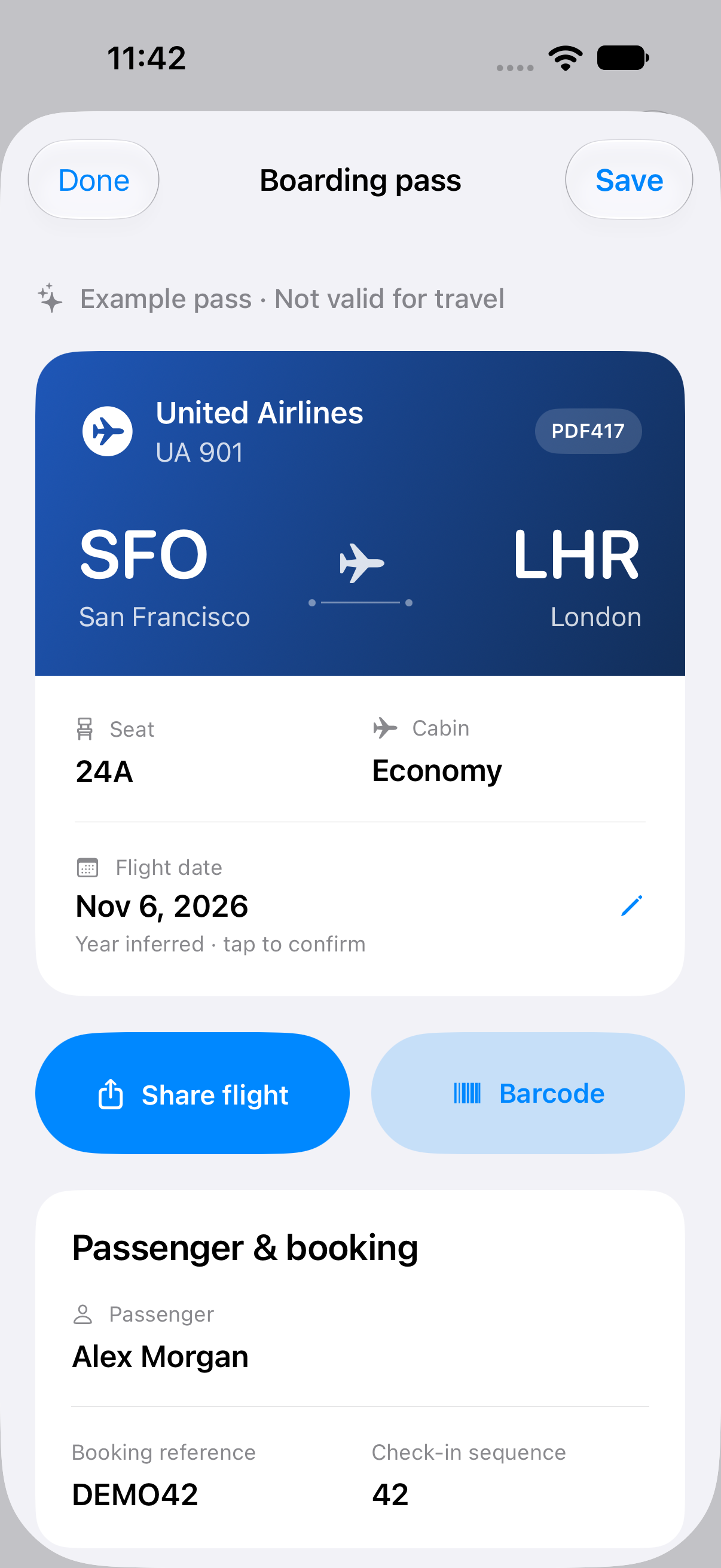
Actual app screen. Fictional example data.
FROM PASS TO POCKET
No account to create. No itinerary to type out. Start with the boarding pass you already have.
Scan the barcode with your camera, or choose a photo or screenshot. A pass shared as a Wallet file can be imported from Settings.
Read the flight, route, seat, and cabin at a glance. Open the field inspector for raw values, decoded settings, and every leg of your journey.
Save a pass to your device, bring up its barcode, or share your flight. Choose basic details, a fuller itinerary, or a FlightAware lookup link.
PRIVATE BY DEFAULT
Boarding passes contain personal information. Keeping control of it should be simple.
Camera scanning, photo decoding, and your saved library work on your device. Source photos aren’t stored by the app. Saved scans use iOS file protection and are excluded from backups.
Flight sharing leaves out passenger names, booking references, ticket numbers, and the barcode. Seat number is optional. Full barcode and field-data exports are separate actions.
Choosing Create and add to Wallet securely sends the full boarding pass barcode to BP Scanner’s signing API. The service signs the pass temporarily in memory and does not retain passenger data. Your copy does not receive airline updates.
This information page uses no analytics, cookies, or account forms. Opening external flight links is subject to the destination service’s privacy practices.
BEFORE YOU BOARD
PDF417, Aztec, QR, and Data Matrix boarding pass barcodes. BP Scanner reads the IATA boarding pass format and supports up to four flight legs in one code.
Keep your airline’s app or original pass for travel updates. The standard barcode does not provide live gate, departure-time, or delay information. BP Scanner helps you read, store, and share what the barcode contains; it does not verify travel validity.
The barcode contains the flight’s day of the year, without a full year. BP Scanner suggests the nearest matching date and labels the year as inferred. You can confirm or change it against your original booking.
iOS does not let this app browse passes issued by other developers. If your airline allows sharing, import the .pkpass file through Settings. Otherwise, take a screenshot that includes the full barcode and choose it from Photos.
Tap Create and add to Wallet to request a signed pass from BP Scanner’s API. It creates a static copy with your original barcode, then opens Apple’s native add-pass sheet for your review. Scanning, saving, and sharing flight details work offline.
BOARDING PASS SCANNER